Datakit
Introducing Datakit
Datakit is a Kong Gateway plugin that lets you define workflows connecting multiple APIs, transforming their responses, and building dynamic data pipelines—without custom code.
It can:
- Set up internal auth within your ecosystem
- Call and combine third-party APIs
- Modify and transform request or response bodies
- Interact with Kong Gateway runtime data
- Return custom responses directly to clients
- Integrate with Vault and caching systems
Datakit is ideal for complex API integrations, data transformations, and building lightweight backends directly at the edge.
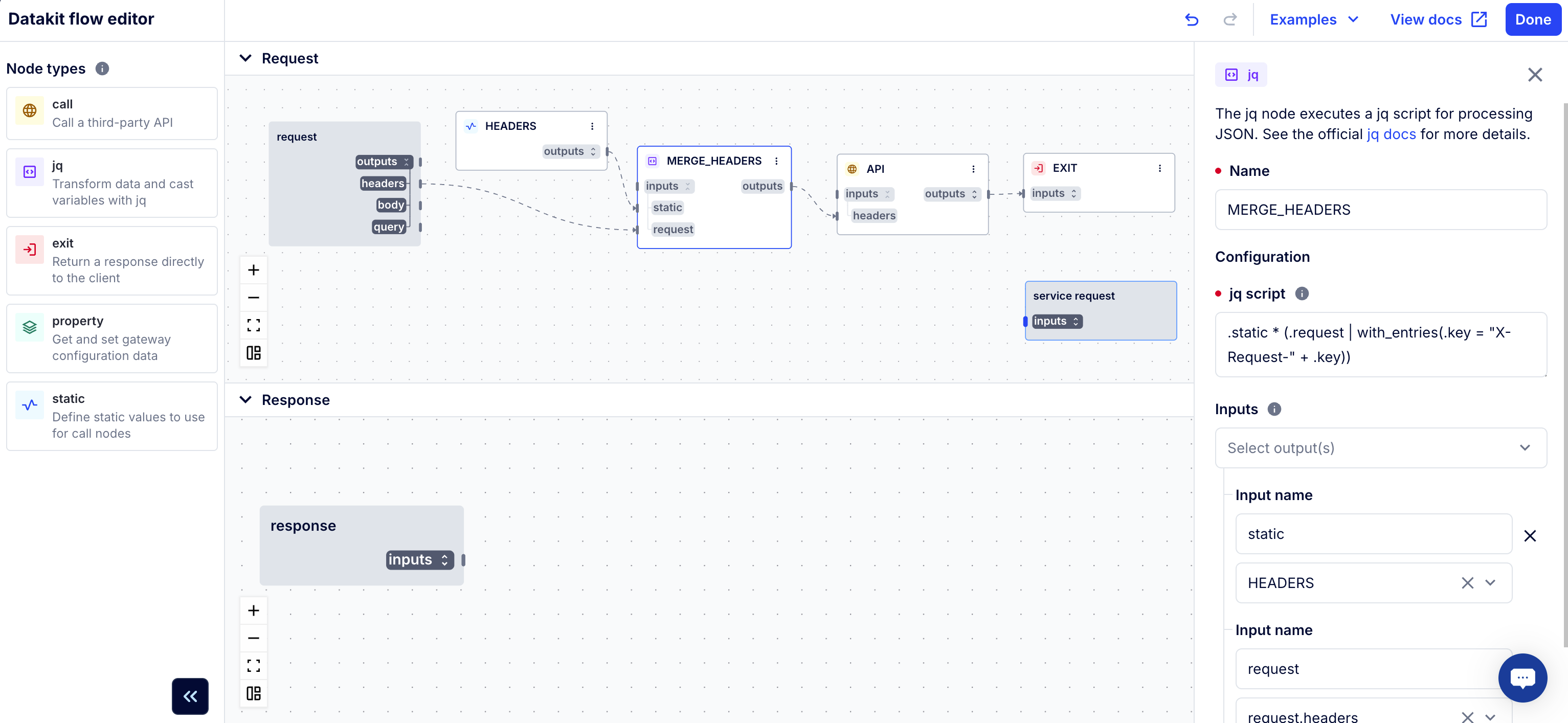
How Datakit works
Datakit executes workflows as sequences of nodes—each node represents a specific operation such as making an HTTP call, transforming data, or retrieving a property from the gateway.
You can link nodes together to create execution flows where the output of one node feeds into another. This makes it easy to build sophisticated integrations that pull, merge, and enrich data from multiple sources.
Examples include:
- Merging responses from two APIs
- Dynamically updating request headers
- Injecting data from Vault secrets
- Returning a custom API response directly from the gateway
sequenceDiagram
  actor Client
  participant Datakit
  participant CatFacts
  participant DogFacts

  Client->>Datakit: Request /animal-fact
  Datakit->>CatFacts: Fetch cat fact
  Datakit->>DogFacts: Fetch dog fact
  CatFacts->>Datakit: Return fact
  DogFacts->>Datakit: Return fact
  Datakit->>Client: Merge & return combined JSON response
Node types
Datakit provides a flexible set of node types that form the building blocks of any workflow:
branch: Execute different nodes based on input conditionscache: Store and fetch data from cachecall: Send HTTP requests to external APIsjq: Transform data and cast variables usingjqexit: Return directly to the clientproperty: Read and write Kong Gateway propertiesstatic: Define static input valuesjson_to_xml: Convert JSON data into XML formatxml_to_json: Convert XML data into JSON formatjwt_decode: Decode a JWT token without verifying its signaturejwt_sign: Create and sign a JWTjwt_verify: Verify a JWT’s signature and validate its claims
Datakit also supports implicit nodes such as request, response, vault, and service_request, which represent gateway lifecycle events.
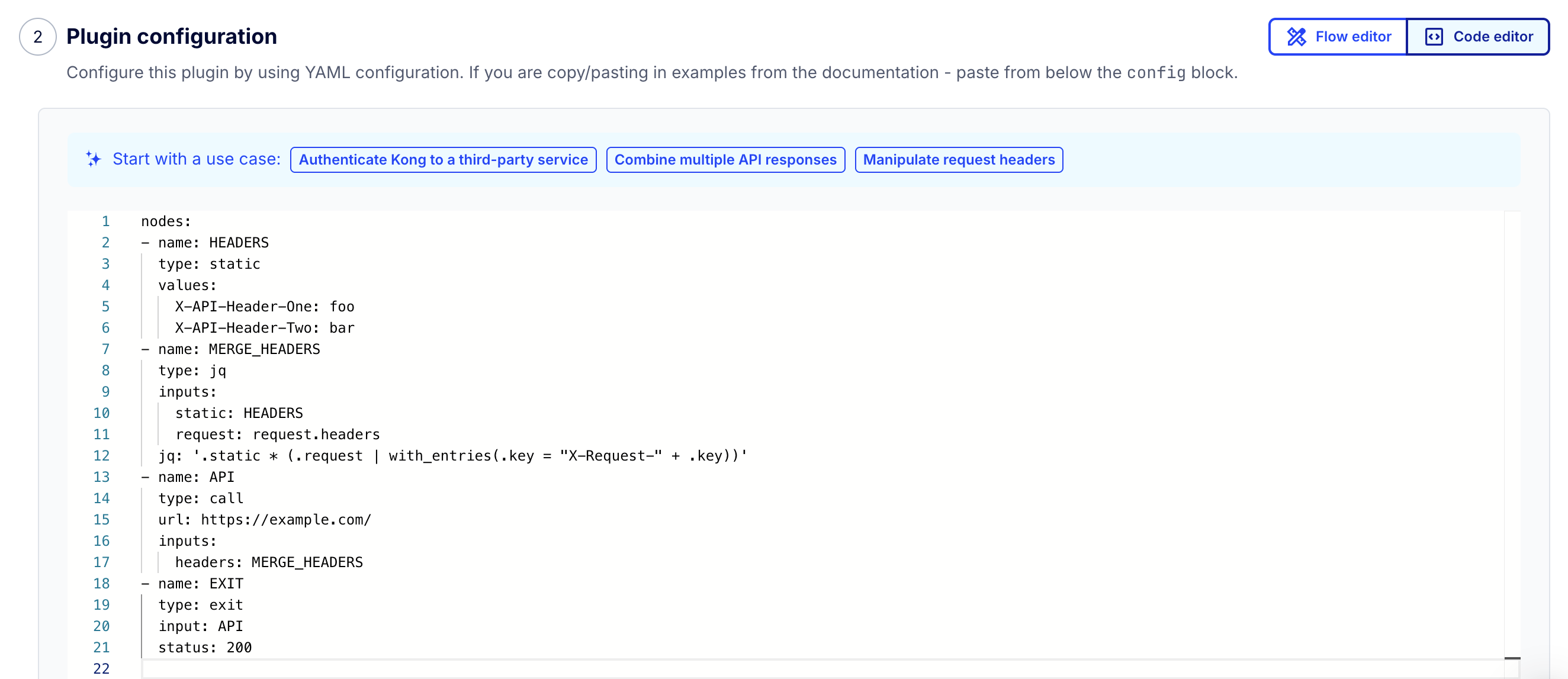
Debugging and development
Datakit includes built-in debugging and execution tracing features to make it easier to troubleshoot node connections and data flow.
- Enable the
debugoption to expose node execution errors in responses. - Add the
X-DataKit-Debug-Traceheader to get a full node execution trace, including timing, dependencies, and failures. - Trace reports include node status (
NODE_ERROR,NODE_COMPLETE, etc.) and dependency chains for in-depth analysis.
For production tracing, you can also use the Konnect Debugger to capture Datakit node spans and I/O values without exposing data in client responses.